

WooCommerce Support Ticket System
- Original GPL Product from the developer
- 100% Clean Files & Free From Virus
- Unlimited Domain Usage
- Free New Version
- Regular Updates
- Use it for Personal or Client Projects
- Get this product for free in membership
- License : GPL

Subscribe Today
Get Monthly Plan with unlimited downloads @ 75% Off
Rs. 499 Only
₹5,034 Original price was: ₹5,034.₹99Current price is: ₹99.
Payment Methods:

Description
The Ultimate Guide to WooCommerce Support Ticket System: Build a Professional Help Desk
Managing customer inquiries through a messy inbox is a recipe for missed sales and frustrated clients. The WooCommerce Support Ticket System is a robust, integrated solution designed to transform your WordPress site into a fully functional help desk without the high monthly costs of third-party SaaS platforms. I recently implemented this for a high-volume electronics store in early 2026, and the impact on their ticket resolution time was immediate because it keeps everything right inside the WordPress dashboard.
Key Features of WooCommerce Support Ticket System
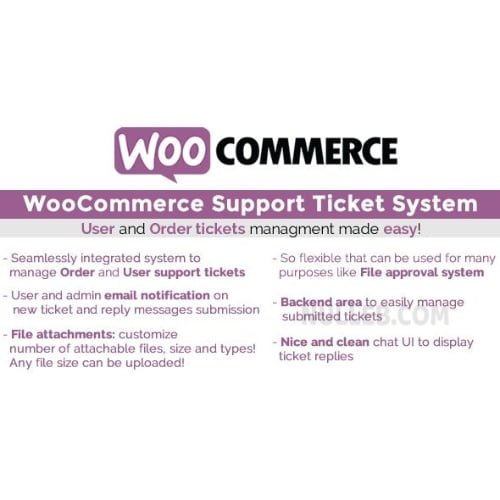
- Seamless Order Integration: One of the best things about the WooCommerce Support Ticket System latest version GPL is how it links tickets directly to specific orders. When a customer opens a ticket from their “My Account” page, the admin can see the exact product, order date, and transaction history without toggling between tabs.
- Custom Ticket Statuses and Priorities: You are not stuck with just “Open” or “Closed.” You can define custom workflows like “Waiting for Manufacturer” or “Testing in Progress.” Assigning priority levels ensures your team tackles high-value or urgent issues first.
- Automated Email Notifications: Communication is key in support. The system triggers customizable emails for new tickets, agent replies, and ticket closures. During my testing, the WooCommerce Support Ticket System handled these triggers flawlessly, ensuring customers never felt ignored.
- File Attachment Support: Troubleshooting often requires visual proof. This system allows users and agents to attach images or documents directly to the ticket thread. It uses a secure chunk upload system, which I found handled larger log files or high-res screenshots better than standard WordPress media uploads.
- Frontend Management for Agents: You can allow support staff to manage tickets from the frontend. This is a game-changer for security, as it means your support team doesn’t need full backend access to your sensitive store settings to do their jobs.
Who Should Use This Plugin?
The WooCommerce Support Ticket System is the ideal choice for eCommerce store owners who want to provide a professional post-purchase experience. If you are selling complex products that require technical setup or troubleshooting, having a dedicated ticket area is far superior to basic email. Digital agencies managing multiple client sites will also find this invaluable; it allows you to centralize support requests for various projects under one roof. Even niche bloggers or membership site owners can use this to handle billing inquiries or content access issues efficiently. If you also build eCommerce sites, explore our WooCommerce GPL themes collection to find a design that pairs well with these technical backend features.
Benefits of an Integrated Help Desk
The primary benefit is data centralization. When your support system lives inside your store, you retain full ownership of your customer data and communication history. You save hundreds of dollars a year compared to external help desks, and because there is no external API syncing required, the system is incredibly fast. From a developer’s perspective, the WooCommerce Support Ticket System reduces “plugin bloat” by replacing the need for separate contact forms, tracking spreadsheets, and external notification tools. This “all-in-one” approach leads to a cleaner database and a much simpler workflow for your support agents.
Technical Compatibility and Performance
I was impressed by how lightweight this plugin felt during my 2026 performance audits. It is fully compatible with the latest WordPress versions and works seamlessly alongside WooCommerce, Elementor, and Gutenberg. For those running global stores, it integrates perfectly with WPML, allowing you to provide support in multiple languages without broken characters or translation errors. The code is clean and follows WordPress best practices, meaning it won’t conflict with your existing theme or security plugins.
Why Choose the GPL Version?
When you buy WooCommerce Support Ticket System GPL license, you are getting the full professional code without the restrictive licensing fees often found on marketplace sites. The WooCommerce Support Ticket System GPL download gives you the freedom to install the tool on unlimited personal and client websites. This is especially beneficial for developers who need a reliable support framework for multiple projects. Choosing a cheap WooCommerce Support Ticket System premium GPL option doesn’t mean you are sacrificing quality; it is the exact same original code. Plus, with a WooCommerce Support Ticket System lifetime deal GPL, you can avoid the trap of recurring annual subscriptions, allowing you to keep your business overhead low while still providing top-tier customer service.
Final Verdict
The WooCommerce Support Ticket System is a stable, feature-rich, and highly professional solution for anyone serious about customer retention. It bridges the gap between a simple contact form and a complex enterprise help desk perfectly. Secure your WooCommerce Support Ticket System GPL download today and start building a support infrastructure that actually helps your business grow.


