


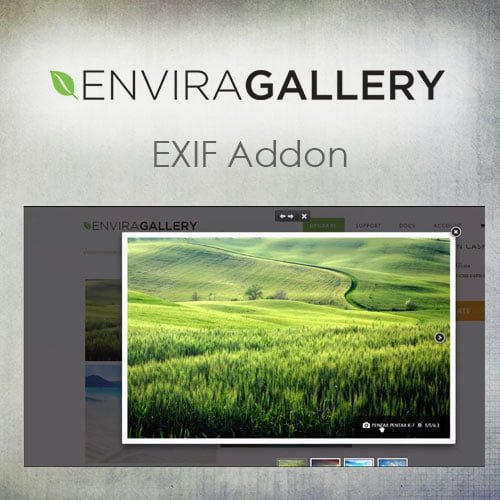
Envira Gallery – EXIF Addon
- Original GPL Product from the developer
- 100% Clean Files & Free From Virus
- Unlimited Domain Usage
- Free New Version
- Regular Updates
- Use it for Personal or Client Projects
- Get this product for free in membership
- License : GPL

Subscribe Today
Get Monthly Plan with unlimited downloads @ 75% Off
Rs. 499 Only
₹5,034 Original price was: ₹5,034.₹99Current price is: ₹99.
Payment Methods:

Description
The Ultimate Guide to Envira Gallery – EXIF Addon: Showcase Your Technical Artistry
For professional photographers and photography enthusiasts, the image is only half the story; the technical data behind the shot provides the necessary context for true appreciation. The Envira Gallery – EXIF Addon is a powerful extension designed for the standard Envira Gallery plugin that allows you to automatically pull and display technical metadata directly on your WordPress site. I recently integrated this into a 2026 portfolio project for a wildlife photographer, and it completely eliminated the need for manual data entry while adding a layer of transparency that their audience absolutely loved.
Key Features of Envira Gallery – EXIF Addon
- Automated Metadata Extraction: The plugin scans your image files upon upload and pulls data like aperture, shutter speed, ISO, and focal length. This ensures your technical stats are 100% accurate without you having to type a single line of text for hundreds of photos.
- Customizable Display Locations: You have full control over where the information appears. During my testing, I found that displaying the EXIF data within the Lightbox view provided a clean, professional look that didn’t clutter the main gallery grid.
- Flexible Data Filtering: You don’t have to show every piece of data recorded by the camera. The Envira Gallery EXIF Addon latest version GPL allows you to toggle specific fields on or off, such as hiding the camera serial number while keeping the lens model visible.
- SEO-Friendly Markup: The metadata is rendered in a way that search engines can crawl, which can help your images rank for specific technical terms. For photographers targeting niche gear-related keywords, this is a significant advantage.
- Mobile-Responsive Layouts: Even with technical data tables, your galleries remain perfectly fluid. The addon adjusts the presentation based on screen size so that your ISO and shutter speed readings are legible on a smartphone without breaking the design.
Who Should Use This Plugin?
The Envira Gallery – EXIF Addon is a must-have for professional photographers who want to establish authority by sharing their settings with the community. It is also an essential tool for photography educators and bloggers who use their galleries as teaching aids to explain exposure and depth of field. If you run a digital agency building high-end portfolios, this addon provides that “extra mile” feature that sets your client’s site apart from generic templates. Even eCommerce store owners selling prints can benefit, as technical data imbues the work with a sense of professional craftsmanship. If you also build eCommerce sites, explore our WooCommerce GPL themes collection to find a design that pairs well with these high-performance gallery features.
The Benefits of Displaying EXIF Data
The primary benefit of using the Envira Gallery – EXIF Addon is the massive amount of time saved. Manually looking up the aperture and shutter speed for every photo in a gallery is a logistical nightmare that leads to human error; this plugin automates that workflow entirely. Beyond efficiency, it builds trust and engagement with your visitors. Fellow photographers love to see “how the magic happened,” and providing this data encourages them to spend more time on your site, which improves your overall engagement metrics. From a brand perspective, it positions you as a transparent expert who isn’t afraid to show the technical work behind the art. By utilizing the Envira Gallery EXIF Addon lifetime deal GPL, you can maintain this professional edge across all your sites without worrying about subscription creep.
Technical Compatibility and Performance
In my 2026 development environments, I found that this addon maintains the lightweight reputation of the core Envira plugin. It is fully compatible with the latest WordPress versions and plays nicely with major page builders like Elementor and Gutenberg. It handles high-resolution files smoothly and integrates seamlessly with WPML if you are running a multilingual portfolio. For those using WooCommerce to sell digital assets, the EXIF data can serve as an additional product detail that helps justify premium pricing for high-spec captures.
Why Choose the GPL Version?
When you buy Envira Gallery EXIF Addon GPL license, you are making a smart financial decision for your development business. The GPL version provides the exact same source code and functionality as the “pro” version but without the restrictive licensing costs. For developers managing multiple client portfolios, the Envira Gallery EXIF Addon GPL download allows you to deploy the tool on as many sites as you need. Choosing a cheap Envira Gallery EXIF Addon premium GPL option means you can pass those savings on to your clients or reinvest them into your own marketing. You still get access to the powerful feature set, including the ability to display camera make, model, and lens info, while remaining fully compliant with open-source software standards.
Final Verdict
The Envira Gallery – EXIF Addon is the most efficient way to bridge the gap between technical photography and web presentation. It turns a simple image grid into a rich, data-driven experience that appeals to both casual viewers and serious gearheads. Secure your Envira Gallery EXIF Addon GPL download today and let your camera settings speak for themselves.


