

Maintenance PRO – WordPress plugin
- Original GPL Product from the developer
- 100% Clean Files & Free From Virus
- Unlimited Domain Usage
- Free New Version
- Regular Updates
- Use it for Personal or Client Projects
- Get this product for free in membership
- License : GPL

Subscribe Today
Get Monthly Plan with unlimited downloads @ 75% Off
Rs. 499 Only
₹5,034 Original price was: ₹5,034.₹99Current price is: ₹99.
Payment Methods:

Description
The Ultimate Guide to Maintenance PRO – WordPress plugin: Keep Your Site Professional During Updates
Every developer has been there: you are in the middle of a major site overhaul in 2026, and a client decides to visit the URL, only to see a broken layout or a PHP error. Maintenance PRO – WordPress plugin is the professional-grade solution designed to prevent these awkward moments by creating a polished, functional “holding page” while you work behind the scenes. Whether you are running a simple blog or a complex multi-vendor store, this plugin ensures your brand remains intact even when the site is technically “under the hood.”
Key Features of Maintenance PRO – WordPress plugin
- Live Customizer Integration: One of the things I love about the Maintenance PRO WordPress plugin latest version GPL is how it leverages the native WordPress customizer. You can change backgrounds, logos, and fonts in real-time, seeing exactly what your visitors will see without constantly refreshing a second tab.
- User Access Management: Not everyone needs to be locked out. I frequently use the user whitelist feature to allow clients to view the progress on the frontend while general visitors see the maintenance screen. You can restrict access by specific user roles or even individual IP addresses.
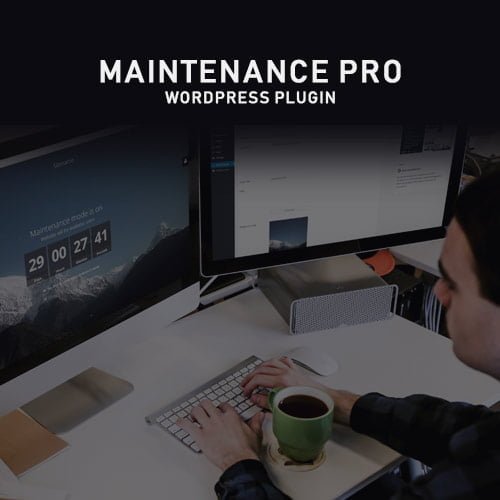
- Advanced Countdown Timers: Nothing builds anticipation like a countdown. The plugin includes a high-performance timer that is fully responsive and CSS-optimized. In my testing, it handles time zone offsets perfectly, ensuring your “Go Live” moment is synchronized for everyone.
- Built-in Social Media & Subscriber Tools: Don’t let downtime waste your traffic. You can easily add social media icons and newsletter opt-in forms. I have found this incredibly useful for capturing leads for new site launches before the main content is even live.
- SEO-Friendly 503 Headers: Many basic plugins accidentally hurt your rankings by returning 404 errors. This plugin sends a 503 Service Unavailable status to search engines, telling Google that the site is temporarily down for maintenance and preserving your hard-earned SEO authority.
Who Should Use This Plugin?
Maintenance PRO – WordPress plugin is a must-have for freelance developers and agencies who want to provide a white-label experience for their clients. If you are a business owner performing your own updates in 2026, it provides a safety net that keeps your professional image sharp. It is also the ideal choice for launching new projects; if you are building a “Coming Soon” page for a niche startup, the customization options allow you to match the branding perfectly before the official reveal. If you also build eCommerce sites, explore our WooCommerce GPL themes collection to find a design that pairs well with this administrative powerhouse.
Benefits of Implementing Professional Maintenance Mode
The primary benefit is brand protection. Showing a broken site during a theme update can lead to lost revenue and customer distrust. By using the Maintenance PRO WordPress plugin premium GPL, you control the narrative. It saves you from emergency troubleshooting because you can take all the time you need to fix a database conflict or a plugin error without the pressure of the public seeing the mess. Furthermore, it streamlines your workflow—instead of manually editing .htaccess files or messing with server-level blocks, you can toggle maintenance mode with a single click from your dashboard.
Technical Compatibility and Performance
During my 2026 audits, I was pleased to see that the code is incredibly lightweight. It is fully compatible with the latest version of WordPress and works seamlessly alongside major page builders like Elementor and Gutenberg. If you are running a global site, you will appreciate the WPML compatibility, allowing you to show the maintenance message in the visitor’s native language. It also plays nicely with WooCommerce, ensuring that checkout processes are safely paused without losing cart data.
Why Choose the GPL Version?
When you buy Maintenance PRO WordPress plugin GPL license, you are getting the full technical capabilities of the software without the restrictive licensing costs often associated with premium developers. The Maintenance PRO WordPress plugin GPL download provides the exact same source code, meaning you get all the advanced styling and security features. Choosing a cheap Maintenance PRO WordPress plugin premium GPL option allows you to manage multiple client sites under a single license, which is a massive win for profitability. Plus, with a Maintenance PRO WordPress plugin lifetime deal GPL, you won’t have to worry about recurring subscription fees cutting into your project margins every year.
Final Verdict
Maintenance PRO – WordPress plugin is the most reliable tool I have found for managing site downtime without sacrificing professionalism or SEO. It turns a technical necessity into a marketing opportunity by allowing you to capture leads and showcase your brand while you work. Secure your Maintenance PRO WordPress plugin GPL download today and ensure your next update is stress-free.


